


01
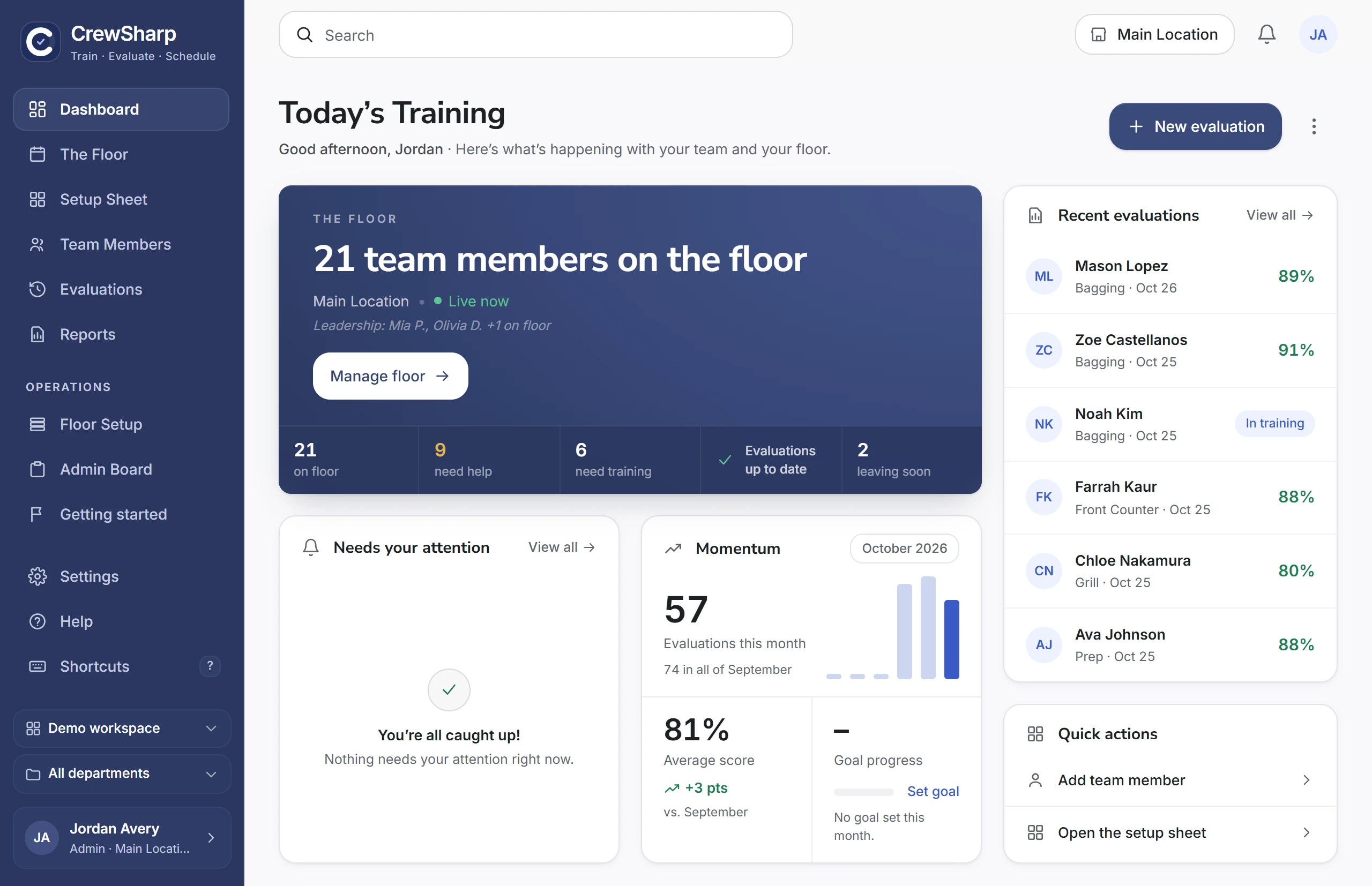
See the bigger picture
See training progress, checklist scores, and recurring gaps without chasing down an update from every shift.
Train your team, build the schedule, and use the Setup Sheet to put signed-off people in each position.
30 days free. No credit card required.
Built by a Chick-fil-A training director.
What we went over
Practiced salting as soon as they come out of the oil. Ran fries through lunch without reminders.
Saved to their training record
The setup sheet warns you before someone leaves a station and suggests a person marked Comfortable on it. Take the suggestion or choose someone else. The picker shows what changes before you confirm.
See the setup sheet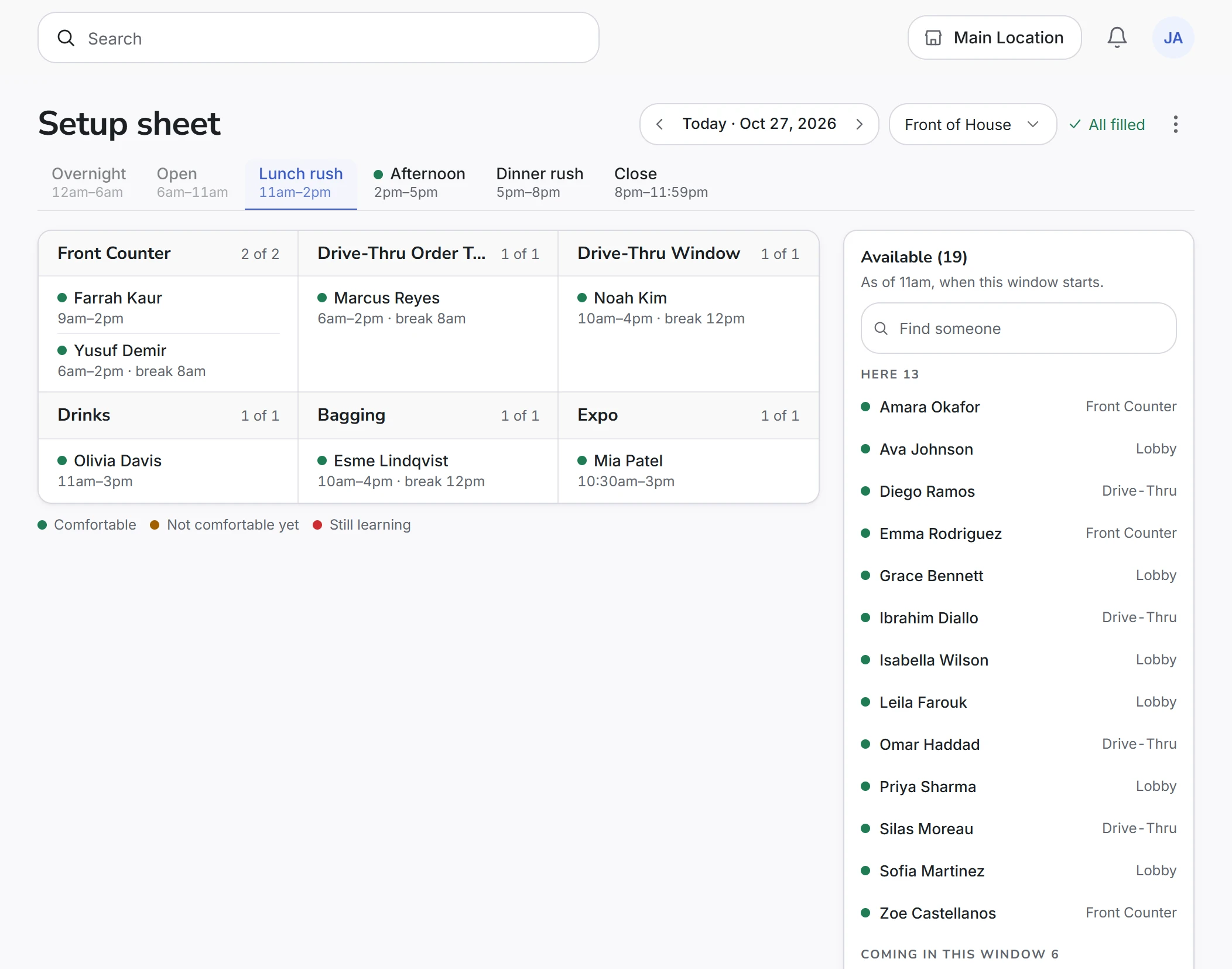
Training meets the daily shift
From floor coverage to the next coaching conversation, keep your decisions connected to your team’s training.
 CrewSharpDemo
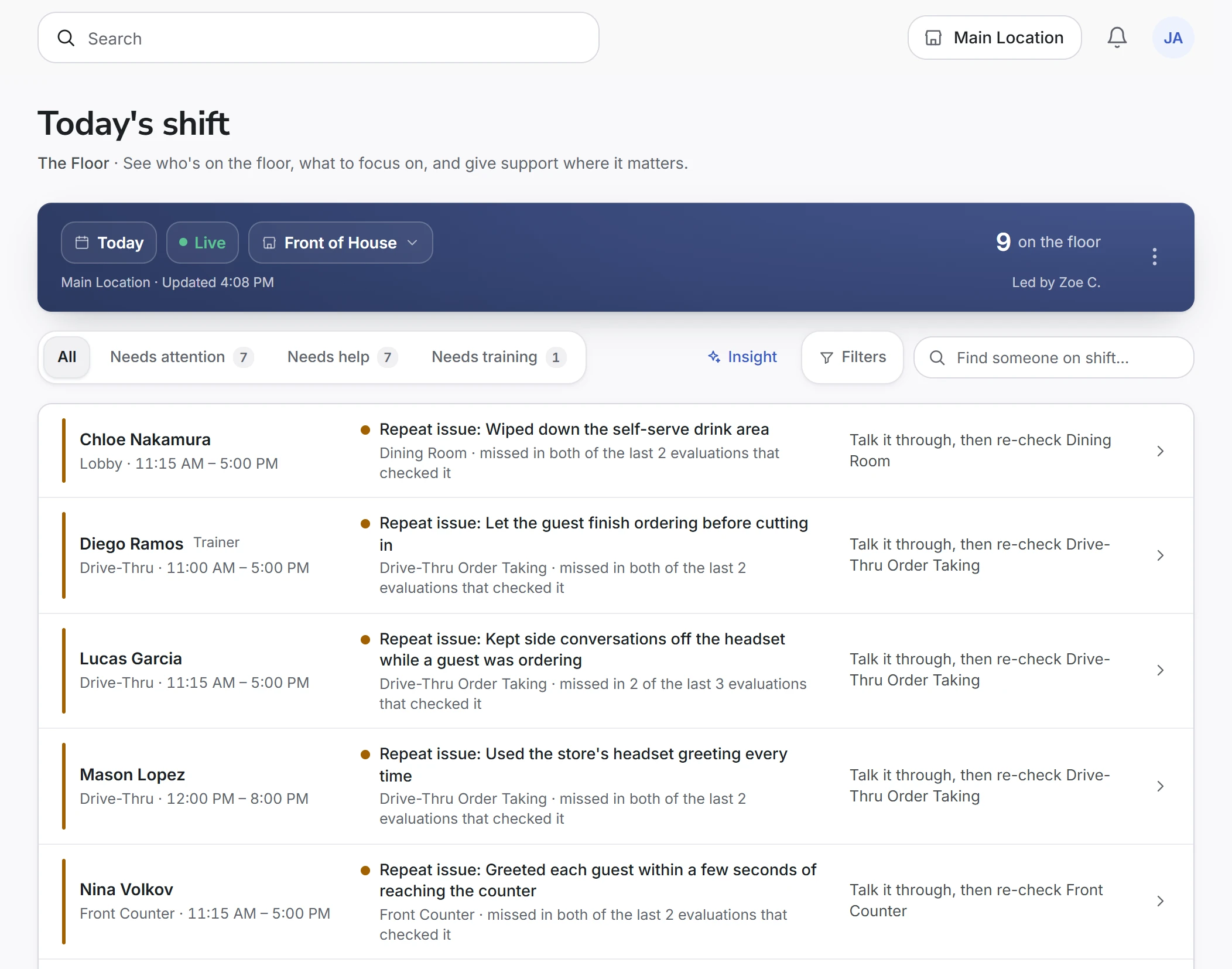
Before the rush
Check readiness against the crew on shift. Assign coverage and pair someone still learning with a trainer.
 CrewSharpDemo
Double-checked the bag before calling the order
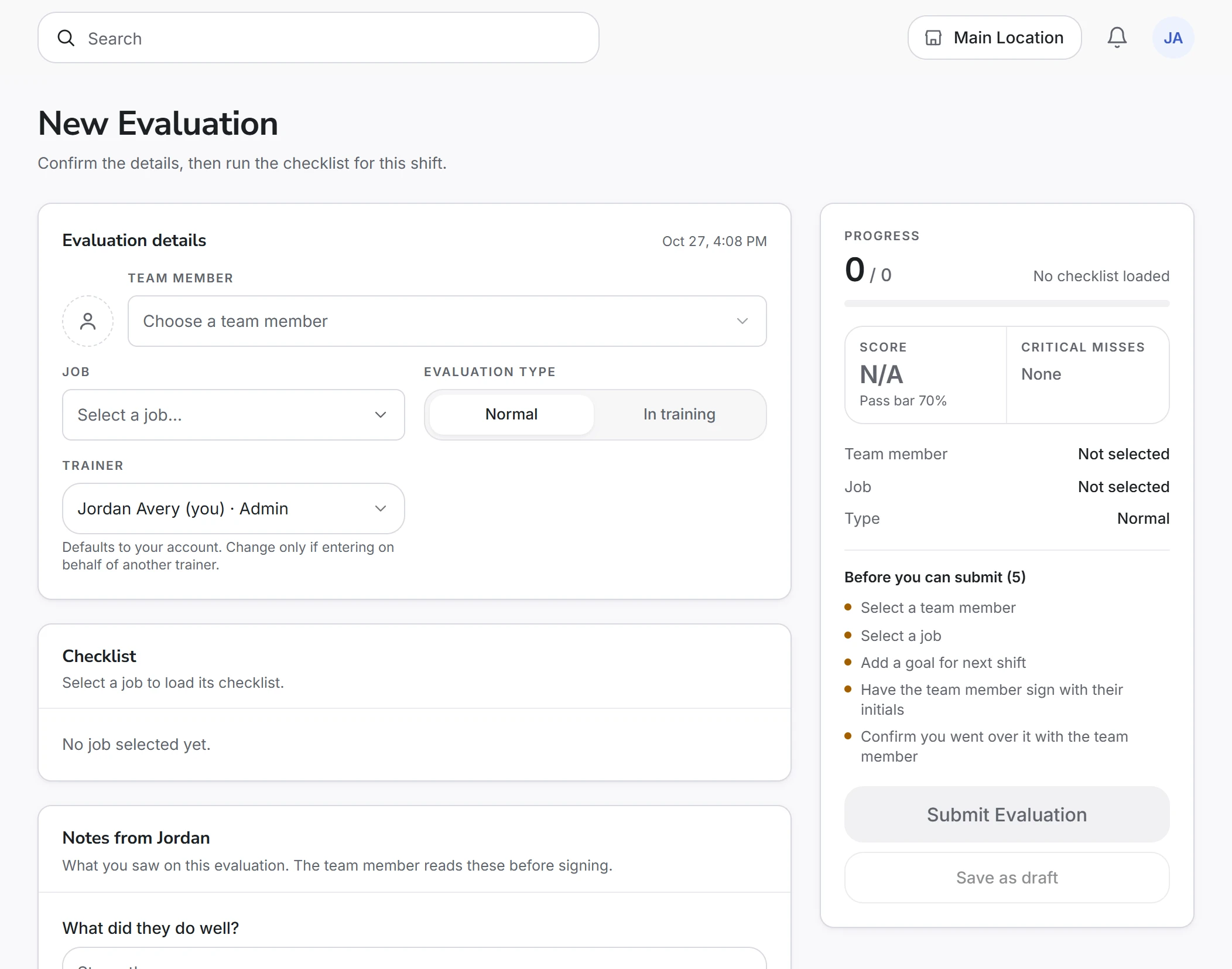
On the floor
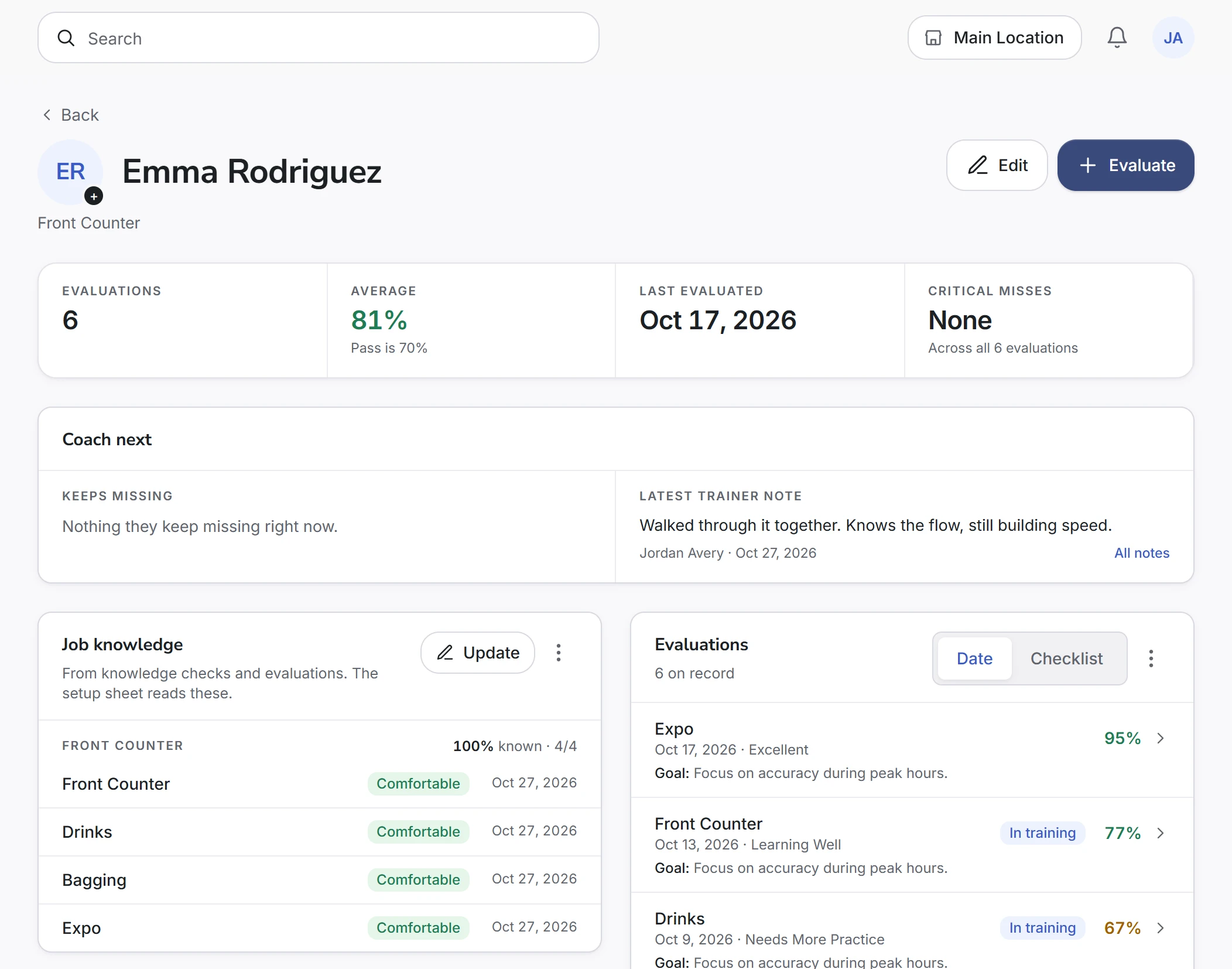
Use the checklist to record what went well, what was missed, and what needs another look. Keep feedback with the crew member.
 CrewSharpDemo
At the next shift
The next leader can review those evaluations and notes. Use that history to choose what to practice next and follow their progress.
When the next manager takes over, they can see what you worked on. Every evaluation and coaching note stays on the person’s training record, so they can check who’s signed off before they place the crew.
The assistant and CrewSharp Coach
Type it the way you’d text, typos and all. The assistant knows your crew and today’s shift, so it can tell you who’s ready for drive-thru or how a new hire is doing on drinks. When something needs changing, it writes it up and waits. Nothing changes until you tap Confirm.
It answers from your own records, and only with what your role can already see. Ask who needs coaching this week, or tell it someone called out and it lines up the change for you to confirm.
Example: a manager types “jackie called out today. who can cover drive thru”. The assistant replies that Sam and Priya are on today and Comfortable on Drive-Thru, and drafts the call-out. The manager taps Confirm, and the card offers a link to find cover.
When someone misses the same standard twice, CrewSharp Coach gives the trainer one question to ask and one way to practice it on the spot. It drafts the notes and the goal for the trainer to edit. On the next evaluation you can see whether the coaching stuck. Skip it whenever you like.
Example: the focus is “Read the order back”, missed twice. The coach suggests asking what makes it slip when it gets busy. The trainer picks “They knew it but it slipped”, gets a plan to practice it on the next few cars, and a drafted goal for the next shift.
Every store gets a monthly share of AI credits, used by the assistant and the coach. The built-in coaching tips don’t use any. See coaching in an evaluation

Works with your existing workflow
Keep scheduling in the tool your team already knows. Bring your team into CrewSharp, track station readiness, and give shift leaders a clear picture of who’s ready and where training is needed.
Import weekly schedules from HotSchedules, or team rosters from 7shifts, When I Work, and spreadsheets.
See training progress, checklist scores, and recurring gaps without chasing down an update from every shift.
Know who’s comfortable on each checklist and where cross-training could give your team more flexibility.
Give your leaders shared checklists and a record of coaching, so good training doesn’t depend on who’s working.
Why CrewSharp exists
On my first day I got five minutes of register training, then I was on my own. I was too scared to tell anyone I needed help. Nobody could tell, because nobody could see who was trained on what.
My teammates helped me figure it out, and later I became our store’s first trainer. I loved teaching the things I wished someone had told me.
Then I became a director. I spent three hours a week filing evaluations into a binder and scrolled back through the group chat to find out who had trained where. I had become the manager who couldn’t see who needed help.
So I built CrewSharp for my own store. Now I can see who’s struggling, and I spend that time teaching our trainers instead of filing paper.
Alanna MatundanFounder of CrewSharp, and a director at the store it was built in
In use every day at a quick-service restaurant in Westpointe Village, New Braunfels, TX.
Setup, done with you
Get on a call and we’ll load your team, your stations and your checklists together, so your first shift on CrewSharp already looks like your store. There’s no setup fee.
Stuck later? Email us and a real person answers.
One plan. Every tool. Priced per store.
About $3.30 a day per store
Here’s what you get:
Unlimited team members, trainers and evaluations. Custom roles and permissions. Monthly AI credits for every store. Email support.
30 days free. No credit card required.
Still learning getting set up? Email our team.
Bringing more stores on board?
Talk to us about volume pricingPrices in USD, billed monthly. Your bill adjusts as you add or archive stores.
Everything you need to know about getting started,
training your team, and making CrewSharp work for you.
Start with your team roster and the checklists you want to track. Import your team, choose and customize your checklists, then record your first evaluation. You can build up the training history as your team uses CrewSharp; you don’t need everyone’s past scores to begin.
No. CrewSharp runs in any browser and is built tap-first, so a tablet you already have on the line works great. It’s also fine on a phone or a laptop.
Yes. Import your team from a spreadsheet, or upload the HotSchedules Extended Schedule Report and we’ll match people to your roster automatically.
Not at all. Every pack ships with sensible checklists you can fully edit. Add or reorder items, set categories and answer types, and mark items critical, required, or score-affecting.
It’s included in the plan. The assistant answers questions about CrewSharp and about your own team, like who’s ready for drive-thru today, and it can write up a change such as a call-out that only happens when you tap Confirm. CrewSharp Coach suggests how to coach a standard someone keeps missing. Each store gets a monthly share of AI credits for both, and the built-in coaching tips don’t use any.
Per active store, per month. Trainers and team members are unlimited. You only pay more when you add a store, and if you archive one your bill drops the same way.
You keep full access to plans, roster and evaluation history through the end of the period you’ve already paid for, and you’re never charged again. You can undo it right up to the last day. No phone call, no email, no retention gauntlet: it’s a button on your Billing page.
Every account is scoped to its organization with row-level security in the database, and roles control who sees what. Card details never touch our servers, because payments run through Stripe’s hosted checkout.
30 days free. No credit card required.


